Your dashboard can show you a problem and still leave you with the whole job.
A quote needs attention. But you still have to find the customer’s message, decide what to do and update the record. The chart tells you where to look. You take it from there.
That expectation is starting to change. Software can take on more of the work between noticing a problem and resolving it. But that raises a harder question: what should count as finished?
I don’t think dashboards are going the way of the dodo. I think you’re going to need them for a different part of the job.
You found the answer. Your colleague didn’t.
Imagine you run a small renovation company. This is a hypothetical example: you check your outstanding quotes and see that fewer are turning into jobs.
You read through the customer messages. One person wants a lower price. Another has already declined, but their quote is still open.
So you export the list and add notes to a spreadsheet. You record the no, then move on to the price request. By the end of the afternoon, you know where things stand.
But the quoting system has none of your notes. The next morning, your colleague sees the open quote and calls the customer who already declined.
You can keep both places updated, or ask everyone to work from your spreadsheet. Either way, you’ve become the connection between the software and what actually happened.
Your customer’s reply should be enough to start
You shouldn’t have to wait for a dashboard review to rediscover that message. A workflow could connect the reply to the quote, propose closing it, ask you if needed, and save the outcome where your colleague will see it.
Tools such as Gumloop and n8n make parts of that possible. Gumloop’s Agent Tasks can run on schedules or events in connected apps, including an incoming email. Its approval controls can pause an agent before a chosen action. n8n also supports approval before selected AI tool calls.
You still have to configure the workflow and check whether it handles your business correctly. But the starting point can be the customer’s reply, with software doing some of the work you would otherwise piece together yourself.
The context has to travel with the work
Attio’s architecture for people and agents makes a useful argument here: agents need access to the context behind a record, along with the system’s permissions and rules. An email, a call and a customer record need to belong to the same working picture.
In your renovation company, the open quote is only half the picture. The customer’s refusal is in the email. Give an agent access to the quote without that reply and it could chase someone who has already answered you.
That is why this goes deeper than adding a chat box. The software needs enough context to act, permission to make the particular change, and a record you can inspect afterwards. Attio’s page describes its approach to that architecture; it isn’t proof that any agent will get your workflow right.
“Done” is a bigger promise than “here’s a report”
Sequoia’s “Services: The New Software,” by Julien Bek, makes the commercial argument: an AI business can sell completed work rather than access to a tool you operate yourself.
If you’re buying the result, you should be able to expect more than a suggestion about what to do next. You need the agreed job finished, within the limits you set.
I’m interested in what that could give you as a small-business owner: the ability to handle work that would otherwise eat your afternoon or require help you can’t yet afford. But I wouldn’t treat an investor’s thesis as a promise that every service is ready to run itself.
The practical test is still your workflow. Did the software finish the job, or leave you a different mess to sort out?
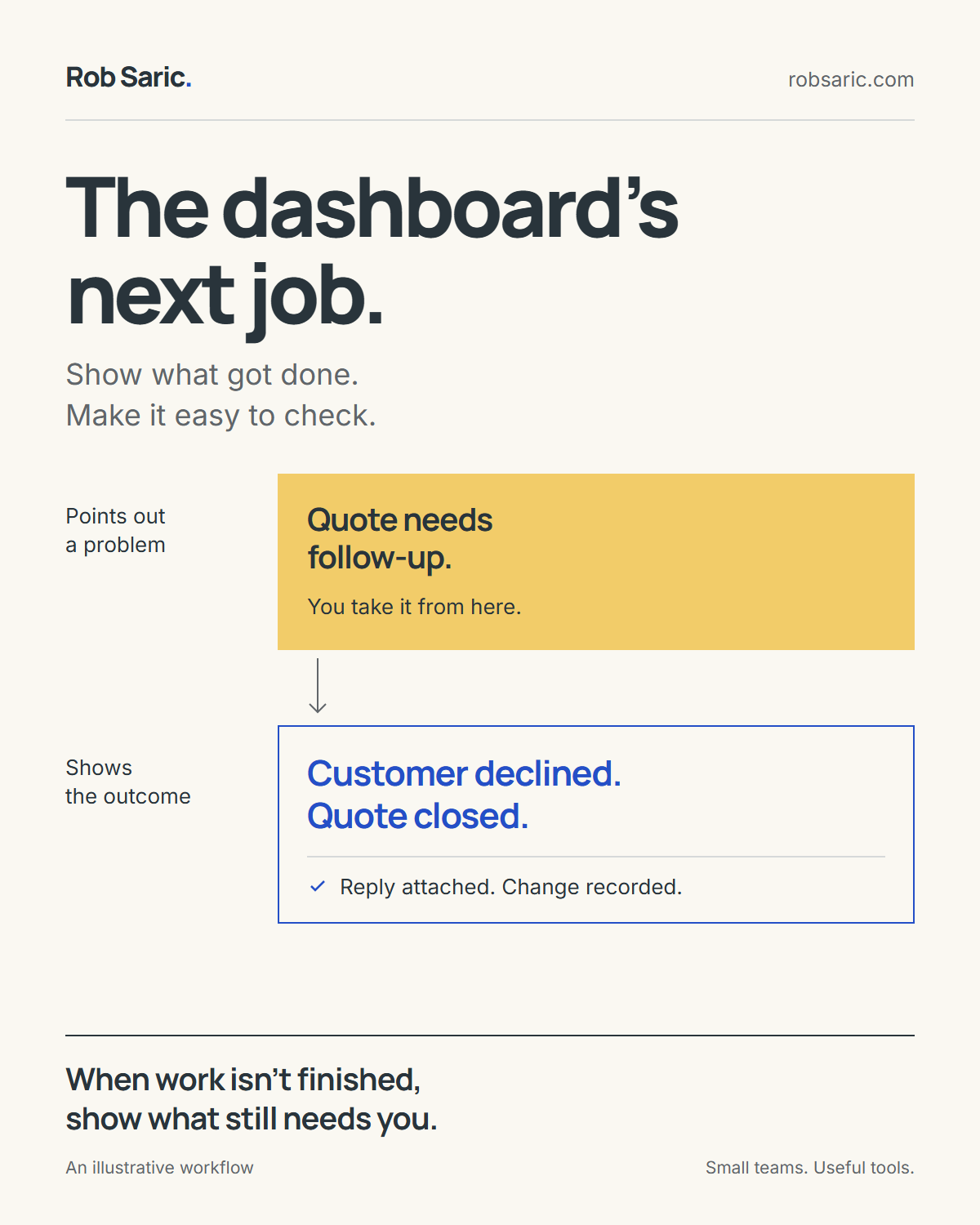
Show what got done. Make it easy to check.
Points out a problem
You take it from here.
Shows the outcome
Reply attached. Change recorded.
When the work isn’t finished, show what still needs you.
A faster reply can still be the wrong reply
Back at your renovation company, the other customer wants a lower price. Software could prepare a reply, but agreeing to a discount is a business decision. You may know that the job has almost no margin left.
So a useful next step would put the request, the quote and a proposed reply in front of you. You decide what you’re willing to offer. Sending a confident answer sooner wouldn’t make it a good answer.
There is a less exciting problem, too. The reply might go out while saving the updated quote fails. If the system just says “done,” you could repeat the work. Retry the whole sequence and you might send the customer a second email.
Faster output hasn’t finished the job. It has left you checking whether the job was finished.
See what happened, and what still needs you
If software handles a routine step, you shouldn’t need to watch it happen. You do need a way to inspect the result, spot a mistake and see why it stopped.
Your daily view could look like this:
| Status | What happened | What needs you |
|---|---|---|
| Recorded | The customer declined. | Nothing. The quote is closed, with the message attached. |
| Your decision | The customer asked for a lower price. | Review the proposed reply. Nothing has been sent. |
| Partly completed | Reply sent. Quote update failed. | Check the saved quote. Retry the record update, not the email. |
You still need the chart of quotes turning into jobs. It helps you see whether your business is improving, whether fewer customers are saying yes, or whether you’re solving the wrong problem efficiently.
But alongside it, you need to see which work was completed, which changes couldn’t be saved and which decisions are waiting for you. Open an item and you should find the customer’s message and the action taken.
A quieter screen only helps if it’s quiet because things were handled, rather than because failures were hidden.
You still need to trust the answer
Asking “How are sales?” can be useful. But do you mean accepted quotes, invoices sent, or money in the bank? A confident sentence doesn’t settle the definition.
Microsoft’s guidance for preparing Power BI data for Copilot includes defining business terms and configuring verified answers. Replacing filters with conversation doesn’t remove that work.
I’m building toward tools that give you more capability without making you a full-time supervisor of your software. You should be able to get work off your plate, keep control of the decisions that matter, and trust the record you leave for the next person.
Pick one number you check every week. Follow what you do after reading it. What could the software help finish? Where do you need to decide? And what would you need to see before you believed the job was done?